
Definition
Restricted API Keys are designed to allow you to distribute and share data within your organization in a secure and controllable way. External consultants, consulting agencies, partners, and trainees are all people who need to access a part of your analytical data at a particular time without having access to the whole data. Restricted API Keys allow you to create a key that will give access to a single set of data and will be denied access to all the rest. You can also choose a date range over which it will be active, for example, the duration of a service with a partner.
The functionality can be activated by contacting the Support Center.
Create a restricted API Key
The first step will be to configure the dataset to meet your needs. If you don't know how to use Data Query, you can find all the information in this article.
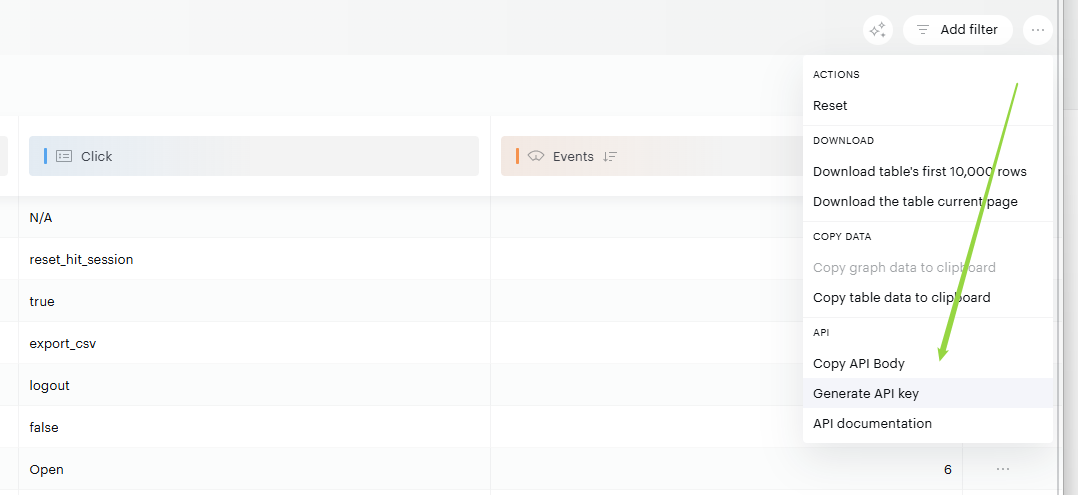
Once you have created your dataset with your properties, metrics, and potential filters or segments, you need to click on the Generate API Key button as you can see.
A window will open, allowing you to configure some information:
-
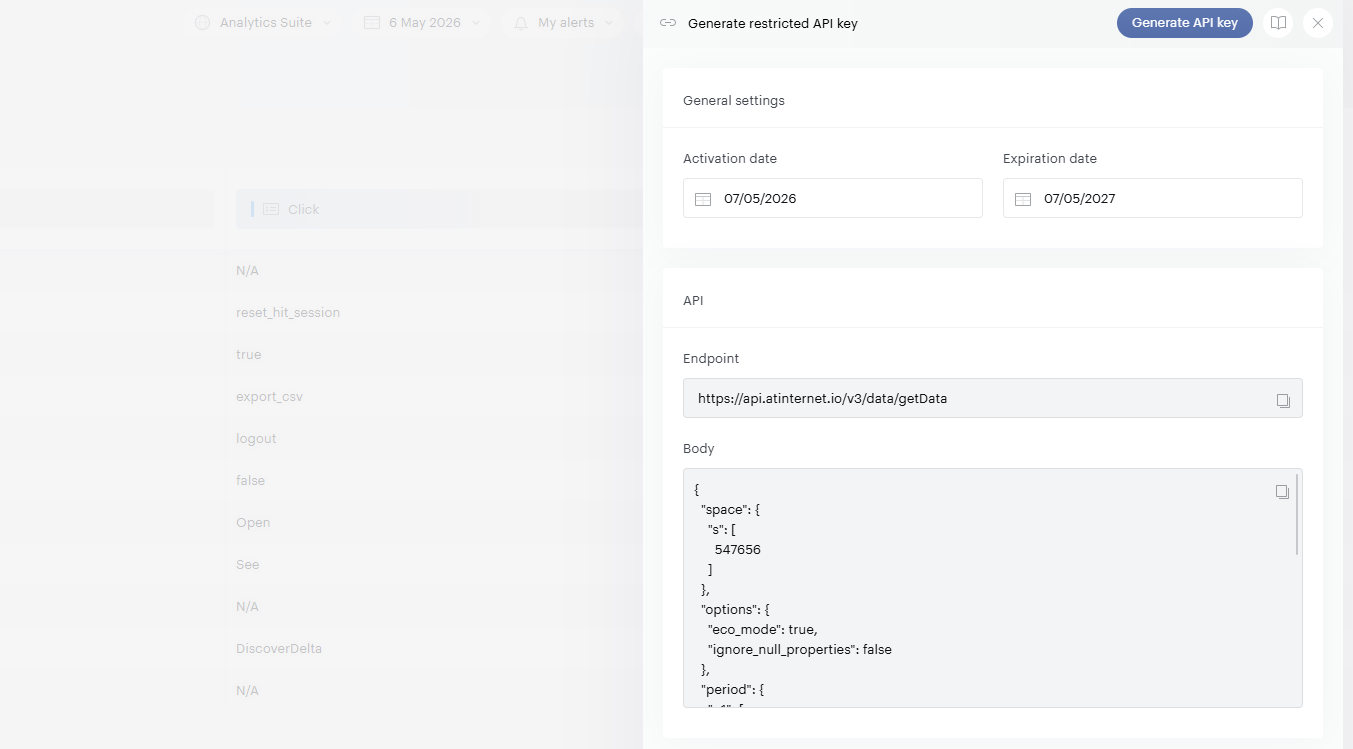
The period on which the restricted API Key will be valid, outside this period, it will not work anymore.
-
The Endpoint and the Body which are necessary to make the API call.
A restricted API Key cannot be modified. If you want to change the properties, metrics or validity period, it is necessary to recreate a restricted API Key. Also, once expired it will be necessary to recreate it and a different API Key will be generated.
Once the configuration is done, you can click on the Generate API Key button.
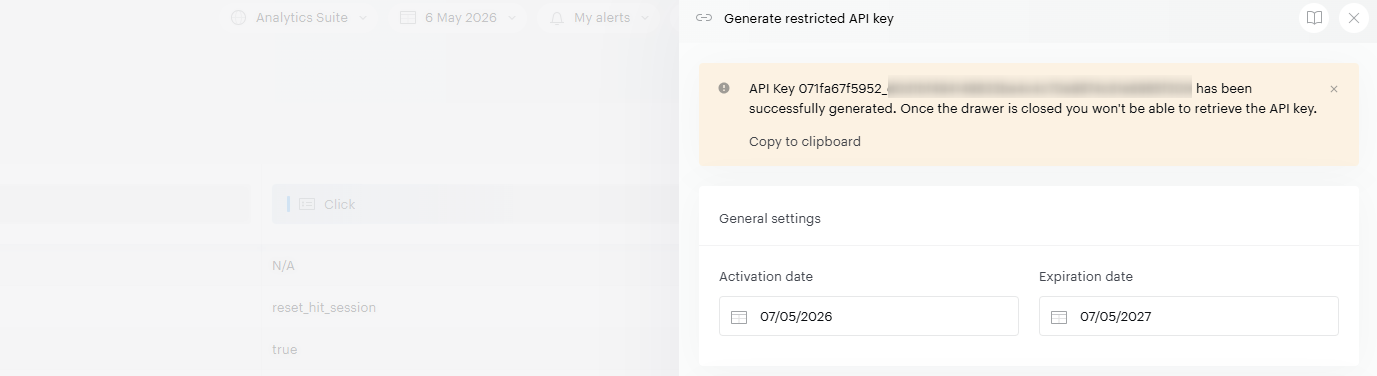
At this point, your API Key ID is generated. It is very important to copy it and store it on your side. Indeed, for security reasons, we can not restore the entire key after its creation.
Use a restricted API Key
The use of the restricted API Key screw is very similar to the use of our API, which you can check in this documentation.
However, it is still necessary to add some information on the body:
-
It must not contain the columns and rows of the call. This information is directly contained in the restricted Key API.
-
You can change the date; all the information about this parameter is available in this article.
-
You can adjust the page-num and max-results parameters, available in this article.
-
Filters and segmentations are built directly into the restricted key — they are not visible to recipients.
-
The site_id cannot be modified in the request body for restricted keys.
The date can only be overwritten with the date type that was present when the restricted API Key was generated. If, for example, there was only p1, then putting p2 in addition will return an error.
Example of a basic API call including one day:
https://api.atinternet.io/v3/data/getData?param={"period":{"p1":[{"type":"D","start":"2025-01-15","end":"2025-01-15"}]}}
When using this call in an API client software, the authentication must be managed in the header x-api-key with the value accesskey_secretkey.
FAQs
How to delete a restricted API Key?
For the moment, it is necessary to contact the support center with the API Key that you want to delete and we will proceed to its deactivation.