
We've introduced new AI features in Data Query to help you explore your data faster and get more out of every report.
AI Reveal
AI Reveal was already available in Workspaces — we've now made it available in Data Query as well. Once you've created a dataset, you can launch AI Reveal to let our AI system analyze your data and surface actionable insights.
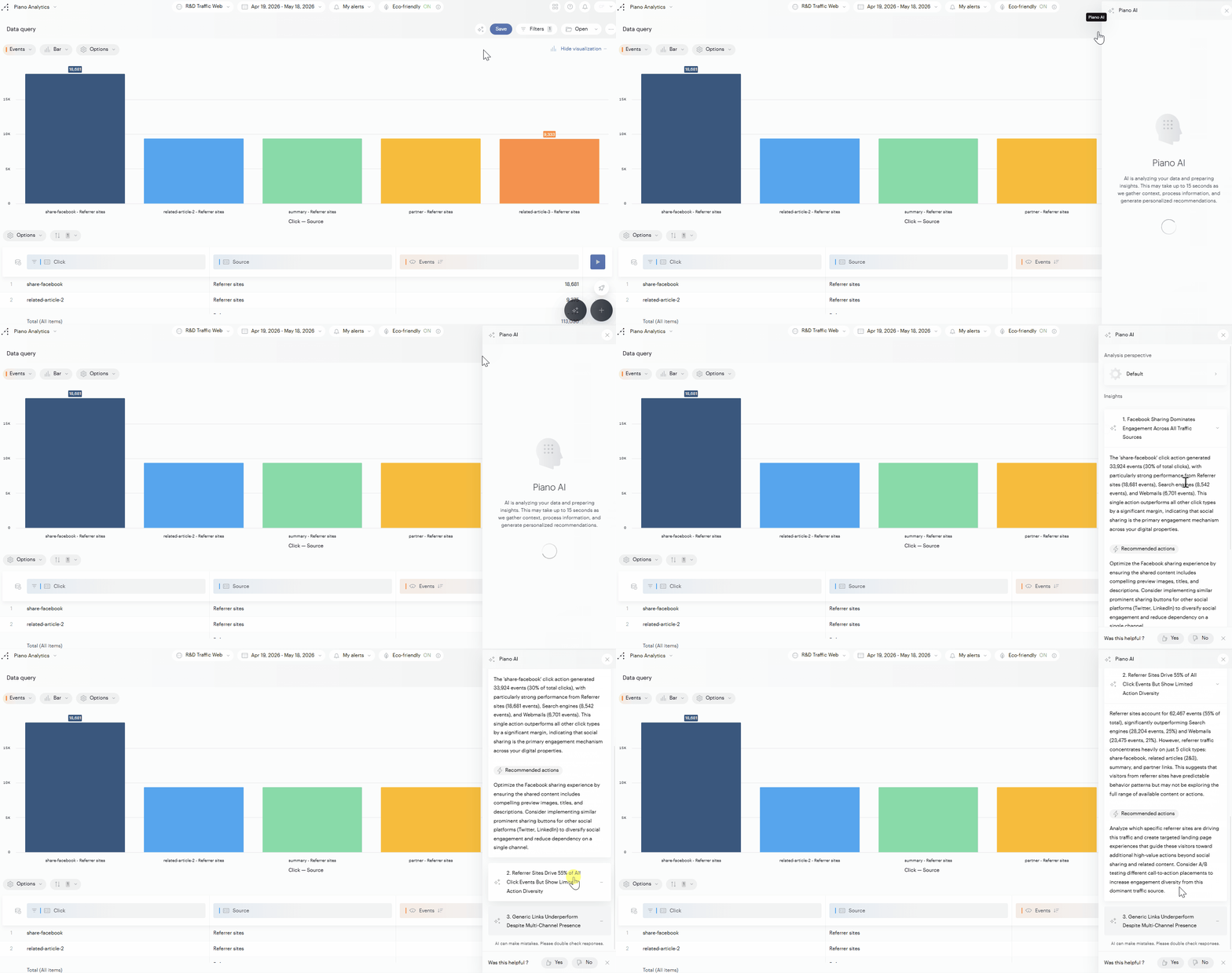
Check out our full AI Reveal documentation for detailed instructions on how to use it, and what is taken into account.
AI Query
What is Piano AI Query?
Piano AI Query is a generative AI-powered assistant that simplifies data exploration by allowing you to generate datasets directly from natural language prompts. Integrated into Data Query, it enables both beginners and advanced users to access complex data without writing a single line of code.
With AI Query, you can:
-
Ask questions in natural language and get a relevant dataset in return.
-
Save time by skipping the manual setup of properties, metrics, and filters.
How to use Piano AI Query
To get started:
-
Open Data Query in Piano Analytics.
-
Look for the AI Query input at the bottom of the page.
-
Type your question (e.g., "What are the top traffic sources last month?").
-
Hit enter and watch your prompt turn into a fully functional dataset.
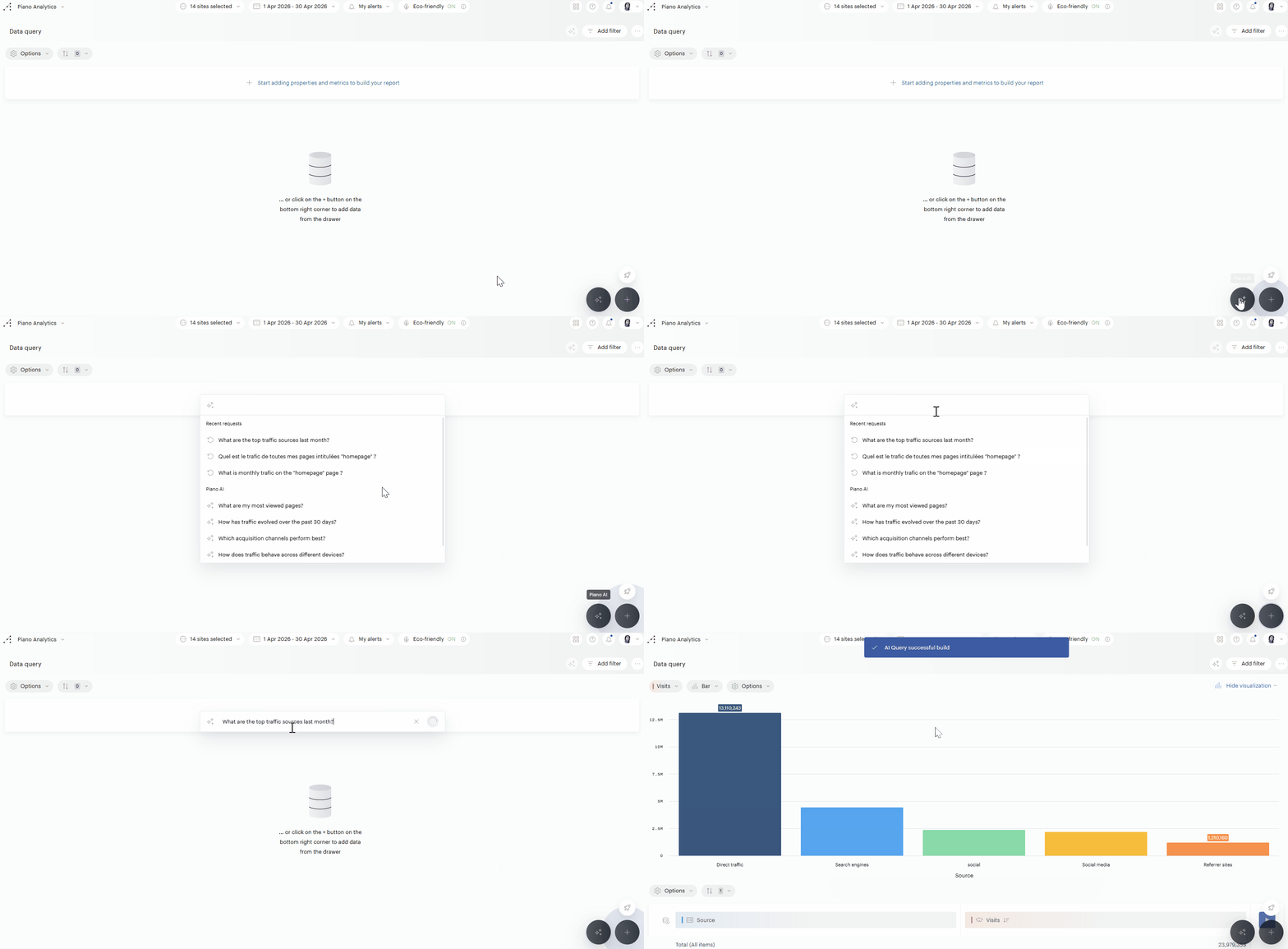
What Piano AI Query takes into account
To build the dataset, Piano AI Query relies on a combination of your prompt and the underlying data model, including:
-
Property and metric names and descriptions
-
Queryable time ranges
-
Access rights for sites
No prior configuration is needed, but the quality of metadata (naming conventions, descriptions) significantly improves the relevance of the generated queries.
Best practices for better results
-
Use clear, business-oriented language in your prompt (e.g., “How many visits came from mobile devices this year?”).
-
Make sure your data model is well-documented (titles, descriptions, consistent naming).
-
Avoid vague or ambiguous terms when possible.
-
Explore alternative phrasings if the first result isn’t quite right.
Using Piano AI Query or Piano MCP will result in the same output; there is no difference in using one or the other method.
Transparency
Piano AI Query is powered by Claude, a large language model developed by Anthropic.
Behind the scenes, the feature relies on a set of structured interactions with the model rather than a single prompt. These exchanges are designed to:
-
Interpret your natural language request.
-
Understand and match it to the data model (properties, metrics, filters, segments, etc.).
-
Build a valid dataset query, iteratively refining it when needed.
Currently, only metadata and model structure (e.g., available properties and metrics) are used in prompts. No user-level data is passed to the model at this stage.
⚠️ However, this may evolve:
As we introduce support for more advanced query features—such as filters and segments—we may need to access parts of the underlying dataset (e.g., from Snowflake) to correctly format or interpret those inputs. This could involve limited exposure of user-level data in a secure and controlled way. We will update this note accordingly when that happens.
All processing is conducted within the geographic region associated with your contract, and no data is stored beyond the active session.